Do Beauty Filters Change Your Face Shape? The Honest Answer
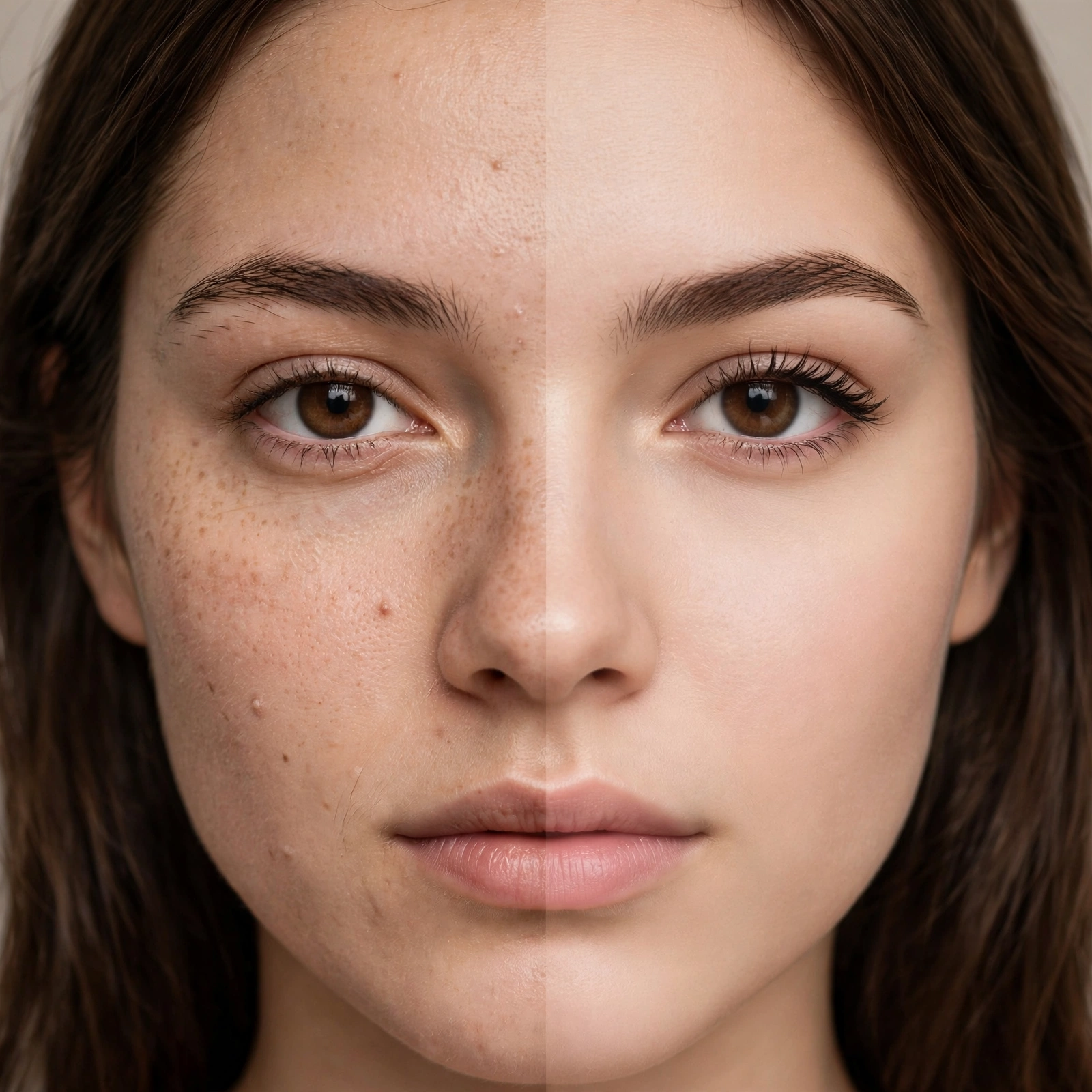
Short answer: yes. Beauty filters do not just smooth your skin — most of them actively reshape your face. Jawlines get slimmed, eyes get enlarged, noses get narrowed, and overall symmetry gets quietly “corrected” in real time. If you have ever felt a jolt seeing your unfiltered front camera after months of filtered selfies, you were not imagining the difference.
This matters because filters have quietly rewritten what many of us think our faces look like. Understanding exactly what a filter changes — and how to see your real face again — is one of the healthiest things you can do for your self-image.
Yes, Filters Really Do Reshape Your Face
Modern beauty filters are not the simple color overlays of a decade ago. They use real-time facial landmark detection: the app maps dozens of points on your face (jaw corners, eye corners, nose tip, lip edges) and then warps the image around those points before you ever see it. The result feels like “you, but better” — which is exactly why it is so convincing.
Typical reshaping effects include a slimmer jaw and chin, a slightly narrowed nose, enlarged and brightened eyes, fuller lips, and smoothed, evened skin texture. Many filters also nudge your features toward greater symmetry, since symmetrical faces read as more attractive to the human eye. Some apps let you dial the intensity; many apply a default “beauty” level you never asked for.
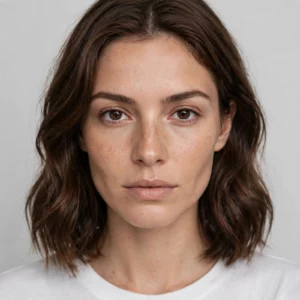
The unsettling part: because the processing happens live, your brain starts filing the filtered version under “me.” The gap between that and a raw photo can feel like something is wrong with the raw photo — when in reality, the filter was the fiction.
Which Features Do Filters Change Most?
Not every filter does everything, but these are the usual suspects:
- Jawline and chin: slimming and subtle V-shaping is the most common structural change. This is the effect people notice most when they turn the filter off.
- Nose: narrowing the bridge and refining the tip — small shifts that change the whole midface balance.
- Eyes: enlargement plus brightening of the whites, which makes eyes look bigger and more “awake.”
- Skin: texture smoothing, tone evening, and blemish removal — the least controversial change, but it still sets an impossible standard.
- Lips: subtle plumping and color enhancement.
- Overall symmetry: gentle warping that evens out the natural left-right differences every real face has.
Knowing this list helps you decode any filtered photo — including other people’s. That “perfect” face on your feed is running the same software.
Why This Matters More Than You Think
The problem is not vanity; it is calibration. When your daily reference point is a reshaped version of yourself, your real face starts to look like the deviation. People describe feeling shocked by mirrors, avoiding unfiltered photos, and even bringing filtered selfies to cosmetic consultations as reference images — a phenomenon widely discussed by beauty professionals precisely because it shows how thoroughly filters can relocate someone’s sense of “normal.”
There is a subtler effect too: filters train you to evaluate your face feature by feature — jaw, nose, eyes — rather than as a whole, living face that other people experience in motion and conversation. Nobody in your real life sees you as a frozen, warped, front-camera still. They see you talking, laughing, and moving, where all of this pixel-level reshaping is irrelevant.
Our breakdown of selfie camera accuracy covers the other half of this distortion story — how even unfiltered phone cameras misrepresent your face — and our piece on how accurate AI face rating apps are explains what automated analysis can and cannot tell you about a photo.
How to See Your Real Face Again
You do not need to delete every app. You need reference points that are honest:
- Use the rear camera from a distance. Prop the phone up and step back, or ask someone to take the photo. Distance flattens the wide-angle distortion that exaggerates your nose and nearer cheek.
- Check the mirror, not the front camera. Mirrors show the face you have actually lived with — the one everyone else recognizes. If you want to understand why selfies and mirrors disagree, the optics are surprisingly straightforward.
- Turn off default beauty modes. Many phones apply skin smoothing and subtle reshaping to the front camera by default. Dig into the camera settings and disable anything labeled beauty, retouch, or AI enhancement.
- Take a filter break. Even a week of unfiltered photos recalibrates what “normal” looks like to your own eyes. The discomfort at the start is the proof it is working.
What Our Tool Does Differently
This is worth saying plainly: the face analysis on this site does not beautify your photo. When you upload an image, you get measurements of what is actually there — proportions, symmetry estimates, feature ratios — with no slimming, no smoothing, no warping layer between you and the result. That is the entire point: an honest readout of your real face, built for curiosity rather than comparison.
How to Spot Filtered Photos of Others
Once you know what filters change, you start seeing it everywhere — and that awareness is genuinely protective. Look for skin with no visible pores or texture even in harsh lighting, jawlines that look softly sculpted beyond what the lighting explains, and eyes that seem slightly too large or luminous for the face. Warping artifacts are another tell: check the background near the face’s outline, where straight lines (doorframes, tiles) may bend subtly from the reshaping algorithm. None of this means the person is being deceptive — filters are the default camera mode for millions of people now. It just means you should never use someone else’s posted photo as a benchmark for your own unfiltered face.
Frequently Asked Questions
Do all beauty filters change face shape?
Nearly all modern ones do, at least slightly. Even filters marketed as “natural” or “subtle” typically include mild jaw slimming and skin smoothing by default. If a filter makes you look noticeably better instantly, reshaping is almost certainly part of it.
Can filters permanently change how I see myself?
They can shift your baseline of what looks “normal” — which feels similar. The good news is that the effect reverses: spending time with unfiltered photos and mirrors recalibrates your perception back. It is a habit of seeing, not a permanent change.
Why do I look so different with the filter off?
Two stacked distortions: the filter was warping your features, and the front camera itself distorts faces at arm’s length. Remove both — rear camera, some distance, no filter — and the “different” face is simply your actual face.
Are filtered photos bad for everyone?
Not inherently. Used playfully and consciously, they are just effects. They become a problem when the filtered version quietly becomes your reference for what you should look like — especially for younger users still forming their self-image.
How can I tell if a photo of someone else is filtered?
Look for impossibly smooth skin texture with no pores, a jawline that looks sculpted beyond what lighting explains, and eyes that seem slightly too large or bright for the face. Warping artifacts around the hairline and ears are another giveaway.
The Bottom Line
Beauty filters absolutely change your face shape — that is literally what the software is designed to do. Knowing it intellectually is one thing; recalibrating your eyes with honest reference points is what actually helps. Your real face was never the problem; the comparison target was never real.
Want an honest readout of your actual features, with zero beautification? Try our free AI face analysis tool on the homepage — upload a real, unfiltered photo and see your proportions measured as they are. Built for curiosity, not comparison.