Why Do I Look Different on Video Calls? (The Real Reasons)
You look in the mirror before a meeting and feel fine. Then your video tile pops up and the person staring back has a wider face, darker under-eyes, and a nose you do not recognise. Everyone you know has had this moment. Looking different on video calls is not vanity and it is not your imagination — it is the predictable result of how webcams, lighting, and angles conspire against your face. Here is exactly what is happening, and how to fix each piece.
The Webcam Is a Bad Camera Held Too Close
Most laptop webcams are the worst cameras you own: tiny sensors, cheap wide-angle lenses (often wider than your phone’s front camera), fixed focus, and poor low-light performance. And they sit 40–60 cm from your face — closer than arm’s length — because the laptop is on the desk in front of you.
That combination reproduces the classic selfie distortion problem, sometimes worse. The wide-angle lens at close range exaggerates the centre of your face: nose looks larger, face looks rounder and wider, forehead more prominent. Your colleagues are not seeing you like this in any meaningful sense — they are seeing a geometrically warped projection. But you are staring at that warped version of yourself for hours a day, and it does a number on your self-perception.
The fix is distance. Move the laptop back and zoom the camera digitally if your software allows it, or better: use your phone as the webcam (most modern phones support this) positioned 3–4 feet away at eye level. Even a cheap external webcam placed further back beats a built-in webcam at 50 cm.
Lighting: The Half of the Problem Nobody Fixes
After the lens, lighting is the biggest reason you look different — and worse — on calls. The typical setup is overhead room lighting or a window behind you, both terrible for faces:
Overhead light carves shadows into your eye sockets, deepens nasolabial folds, and emphasises under-eye darkness. It is the reason you look ten years older on evening calls under ceiling lights.
Backlighting (window or bright lamp behind you) turns your face into a silhouette and forces the webcam to expose for the bright background, rendering your face dark and muddy.
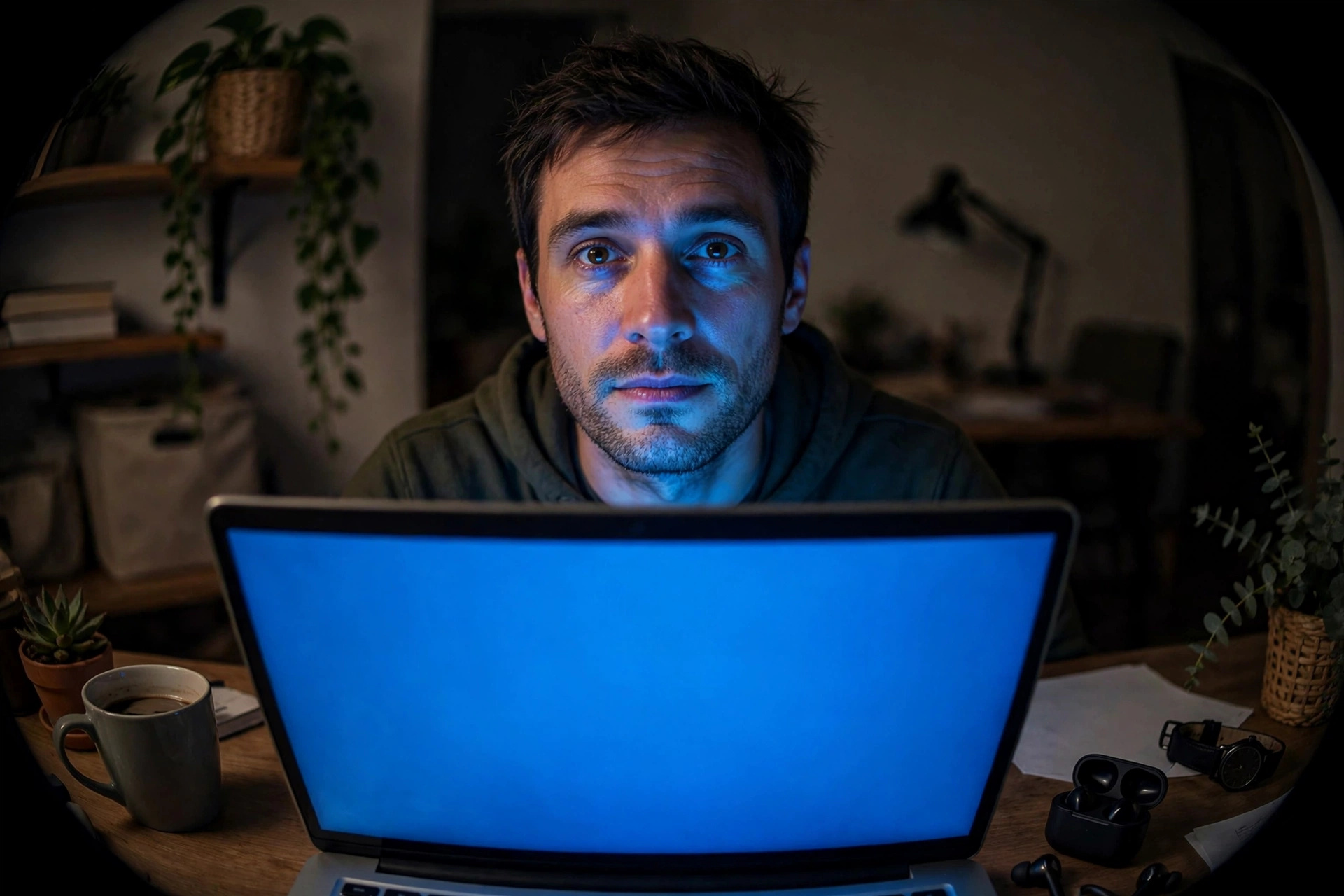
Screen-light only casts a cold blue glow upward from below — the classic “horror movie” angle — which hollows the eyes and sharpens every shadow.
The fix costs nothing: face a window. Soft, even frontal light is the single most flattering light source that exists, and it is free every daytime. If calls happen after dark, put a lamp (or a cheap ring light) behind the camera, aimed at your face, at roughly eye level. One frontal light source fixes more than any camera upgrade. Our photo lighting checklist covers the same principles for still photos.
Angle: Where the Camera Sits Changes Your Face
Laptop on desk means the camera looks up at you. The low angle is unflattering for almost everyone: it emphasises the jaw and chin, foreshortens the forehead, and — because you look down at the screen — your eyes angle downward, which reads as tired or disengaged. Stack this with the wide-angle distortion and it is a perfect storm.
Raise the camera to eye level or slightly above. A stack of books under the laptop works; a dedicated stand works better. Eye-level or slightly-above is the angle other people see you from in real conversation, so it is automatically the most “accurate” framing. Also: look into the camera lens when speaking, not at your own tile. Eye contact through the lens reads as confidence to everyone else, and it stops you from scrutinising your own distorted thumbnail for the whole meeting.
Compression, Filters, and the “Touch Up” Trap
Video call software compresses your image aggressively to save bandwidth. Compression smears fine detail — skin texture turns waxy, edges soften — which is why you look slightly “off” in a way that is hard to name. Low light makes compression artefacts dramatically worse, which is another reason good lighting matters so much.
Then there are the “touch up my appearance” filters built into Zoom, Teams, and Meet. They sound helpful, but they apply smoothing and subtle reshaping that changes your features just enough to look strange — and they train you to compare your real face against a filtered one all day. If your goal is to look like yourself, turn them off. A sharp, well-lit, unfiltered image always reads better than a soft, processed one.
Why This Matters Beyond Vanity
There is a real psychological effect here that researchers have started calling “Zoom dysmorphia”: spending hours a day staring at a distorted, badly lit image of your own face measurably worsens self-perception and has been linked to increased interest in cosmetic procedures. The face on the screen is not your face — it is your face through a bad lens, bad light, and bad angle — but your brain does not automatically apply that discount.
Knowing the mechanics is the antidote. When your video tile looks wrong, run the checklist: lens too close, light from above or behind, camera below eye level. Fix those and the stranger on screen starts looking like you again.
It is also worth remembering that your colleagues are not studying your face the way you are. Attention research on video meetings consistently shows people focus on content, shared screens, and whoever is speaking — your tile gets a fraction of the scrutiny you give it. The person most bothered by your video-call face is you, and you are looking at the most distorted version of it in the room.
And if curiosity about your actual facial proportions survives all of this, do the measurement properly: a still photo taken with the rear camera from several feet away in good frontal light — not a webcam screenshot. Run that through our free AI face analysis tool on the homepage and you will get geometry measured from a faithful image instead of a distorted video frame. Your video-call face and your real face are two different datasets; only one of them deserves to be measured.
Frequently Asked Questions
Why does my face look wider on video calls?
Wide-angle webcam lenses at close range (40–60 cm) exaggerate perspective, making the centre of your face larger and the overall face look rounder and wider. Moving the camera further back is the main fix.
Why do I look tired on Zoom?
Overhead lighting deepens eye sockets and under-eye shadows, low camera angles make your eyes angle downward, and compression smears detail. Frontal lighting at eye level — ideally facing a window — fixes most of it.
Do I look like my video call self to others?
No — and thankfully so. Others in real life see you in 3D, in motion, from natural distance. Your video tile is a flat, wide-angle, close-range, compressed projection. A rear-camera photo from a few feet away is far closer to reality.
Should I use “touch up my appearance” filters?
If you want to look like yourself, no. They smooth and subtly reshape your features, which looks slightly artificial and trains unhelpful comparison habits. Good lighting beats filtering every time.
Can I use a video call screenshot for AI face analysis?
You should not. Webcam distortion, bad angles, compression artefacts, and poor lighting all corrupt the facial landmarks AI measures. Always use a proper still photo: rear camera, 4–6 feet away, even frontal light, neutral expression. And check our privacy guide before uploading face photos anywhere.