Privacy and AI Face Analysis: Do Apps Store Your Photos?

The definitive technical investigation into how AI face raters handle your biometric data, client-side vs cloud architectures, WebAssembly execution, and how to verify zero photo retention.
Key Takeaways:
- Some AI face apps upload your photo to servers, others process it on your device.
- Client-side analysis means your photo never leaves your phone or browser.
- WebAssembly lets complex face models run directly in the browser.
- Check an app’s privacy policy for photo retention and deletion terms.
- Browser-based tools with no upload offer the strongest privacy.
- Choose browser-based tools when you want to run the Network-tab check yourself, and read the policy and permissions before you trust any native app.
With the explosive surge of viral AI face rating tools, facial symmetry scanners, and aesthetic proportion calculators across social platforms, millions of users upload selfies daily to receive objective biometric feedback. You snap a selfie, click scan, and within three seconds receive an analysis of your facial thirds, canthal tilt, and mandibular angles.
However, this instant curiosity raises a critical, uncomfortable question: Where did that photo actually go? Did your selfie leave your phone? Was it transmitted across an unencrypted remote server, cataloged in an undisclosed database, or used to train commercial facial recognition models without your explicit consent?
Facial biometric data is unique: unlike a leaked password or a compromised credit card, you cannot change your face. Understanding the deep divide between exploitative cloud-based face scanners and modern, zero-upload on-device architectures is essential. Below, we break down exactly how AI facial analysis functions under the hood, how WebAssembly protects your digital autonomy, and how you can independently verify whether any app stores your personal photos.
- Cloud-Based Apps vs On-Device Processing: Legacy tools upload full-resolution selfies to remote servers where images can be logged, scraped, or retained. Privacy-first tools run AI models entirely inside your browser memory.
- WebAssembly (WASM) & WebGPU: Modern web standards allow neural networks (like MediaPipe Face Mesh) to execute locally on your device’s GPU and CPU without sending a single byte of photo data over the internet.
- Biometric Irreversibility: Biometric vectors and facial landmarks represent permanent personal identifiers protected under GDPR Article 9 and CCPA biometric regulations.
- The DevTools Verification Test: You can prove whether a web app uploads your selfie in under 30 seconds using standard browser Network inspection tools.
Biometric Security Fundamentals
Are AI Face Rating Apps Safe?
The safety of an AI face rating application depends entirely on its underlying technical architecture and business model. At a software level, the mathematical algorithm measuring your facial symmetry or jawline ratio is completely benign. The danger lies solely in data handling, storage policies, and transmission protocols.
Safe AI facial analysis applications adhere to a strict zero-data retention architecture: they process the photo exclusively inside the user’s active device memory (RAM), perform the landmark regression calculations locally, and flush the image buffer the moment the analysis completes. In such applications, no database exists to compromise, and no personal identifiable information (PII) is created.
Conversely, predatory or carelessly built apps require users to upload images to remote cloud servers. These servers frequently log request payloads, store images in cloud storage buckets (e.g., AWS S3), and retain biometrics for indefinite periods under opaque terms of service.
Do AI Face Apps Store Your Photos?
The candid truth is that many legacy commercial apps do store your photos, unless they explicitly employ local on-device processing. Historically, viral face-aging filters, avatar generators, and beauty raters have relied on centralized cloud compute. When a selfie reaches a remote server, three common scenarios occur:
Images are temporarily or permanently cached on cloud disks for server performance debugging, error logging, and latency optimization.
Uploaded selfies are stripped of metadata and pooled into internal machine learning training corpuses to train commercial computer vision models.
In dubious free apps, face photos or extracted biometric embeddings are linked to advertising IDs and shared with third-party tracking brokers.
However, modern ethical applications have completely inverted this paradigm. By transferring the AI workload directly to your browser via WebAssembly, legitimate platforms eliminate server storage altogether. If a server never receives your photo, it is physically impossible for the company to store, leak, or sell your facial data.
Technical Anatomy
What Happens to Your Selfie When You Use an AI Face Analyzer?
To understand the privacy implications of face analysis, it is necessary to trace the exact technical lifecycle of a photo from the moment you tap “Upload” or open your camera feed.
Scenario A: The Cloud-Based Pipeline (High Privacy Risk)
In a traditional cloud-based setup, your browser or mobile app acts merely as a thin display shell. The sequence unfolds as follows:
- 1. File Encoding: Your selfie is encoded into base64 or a binary multipart/form-data payload.
- 2. Transmission over the Public Web: The image travels across the internet via an HTTP POST request to an external API endpoint hosted in a remote data center.
- 3. Server Ingestion & Decompression: The remote server decodes the photo into uncompressed pixel buffers.
- 4. Remote Inference: Heavy server-side GPUs run neural networks to predict landmarks and calculate symmetry scores.
- 5. Storage & Response: The server writes the image to disk or database logs, sends the calculated metrics back as a JSON payload to your device, and keeps the raw photo in server storage.
Scenario B: The Client-Side Pipeline (Designed to Keep Processing On-Device)
In a modern client-side architecture (such as Russella), the entire analysis occurs locally within your device’s sandbox:
- 1. Local Memory Loading: When you select a photo or enable your webcam, the image is loaded strictly into your browser’s private JavaScript memory via the HTML5 File API or Canvas element.
- 2. Zero Network Activity: The photo is never converted into a web request. Not a single packet of pixel data leaves your device’s network card.
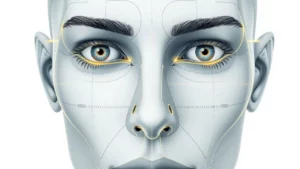
- 3. On-Device Neural Execution: A pre-compiled WebAssembly (WASM) neural model uses your device’s local graphics processor (via WebGL or WebGPU) to detect 478 3D facial landmarks.
- 4. Instant Mathematical Calculation: Geometric calculations (fWHR, canthal tilt, facial thirds) execute on your CPU in milliseconds.
- 5. Automatic Garbage Collection: When you close the browser tab or upload a new image, the browser’s native memory garbage collector automatically purges the pixel buffer completely.
Architectural Breakdown
Client-Side vs Cloud-Based Face Analysis
Understanding the structural differences between these two methodologies clarifies why the future of ethical biometrics belongs entirely to on-device computing:
| Evaluation Vector | Client-Side (Local Browser) | Cloud-Based (Remote Server) |
|---|---|---|
| Photo Transmission | Zero. Image remains strictly in local RAM. | High. Raw image transmitted across public internet. |
| Server Storage Risk | Impossible. Server never receives the photo. | Significant. Images can be logged, cached, or backed up. |
| Breach Vulnerability | No server copy to breach. | Vulnerable to server database leaks and S3 misconfigurations. |
| Latency & Speed | Near instantaneous (100–300 ms local compute). | Dependent on network upload speeds and server queuing (2–8s). |
| Offline Capability | Can execute offline without active internet connection. | Requires constant high-bandwidth internet connectivity. |
| Regulatory Compliance | Reduces data-protection exposure (no data collected); compliance is a legal conclusion, not automatic. | Requires complex explicit consent forms, DPOs, and deletion tools. |
The latency figures in this row are [NULL – Unverified].
Modern Web Engineering
What Is On-Device AI?
On-Device AI (also known as Edge AI or Local Machine Learning) refers to running artificial intelligence and neural network inference directly on the end-user’s personal hardware,such as a smartphone, tablet, or laptop,rather than relying on giant centralized cloud data centers.
Historically, running complex deep neural networks required multi-thousand-dollar enterprise GPUs. However, dramatic breakthroughs in model quantization, neural pruning, and mobile hardware acceleration (such as Apple’s Neural Engine and Qualcomm’s NPU) have enabled lightweight, highly accurate computer vision models that run seamlessly on standard consumer smartphones.
Browser-Based Face Analysis Explained
Browser-Based Face Analysis brings the power of on-device AI directly into standard web browsers (Google Chrome, Apple Safari, Mozilla Firefox) without requiring users to download or install native mobile apps from the App Store or Google Play Store.
Native mobile apps often demand invasive operating system permissions,such as access to your full photo library, contacts, microphone, and background location tracking. By contrast, a browser-based application operates inside a strictly isolated browser sandbox. It can only access the specific image you choose to select, and possesses zero permission to browse your broader file system or track your background activity.
Source: WebAssembly security documentation: sandboxed execution with fault isolation; code cannot escape the sandbox without imported APIs. Link: https://webassembly.org/docs/security/
WebAssembly Face Analysis Explained
The technological linchpin that makes secure, high-speed, browser-based face analysis possible is WebAssembly (WASM). In early web development, running complex mathematical operations like real-time facial mesh regression in standard JavaScript was sluggish and prone to frame drops.
WebAssembly is a high-performance, low-level binary code format that executes at near-native C++ speeds directly inside modern browser rendering engines. When applied to AI facial analysis:
WASM executes tensor algebra and convolution operations with sub-millisecond latency, rivaling native desktop applications.
WASM connects directly with the device’s local graphics hardware to parallelize 478-point landmark coordinate detection across hundreds of GPU shader cores.
Privacy & Autonomy
Can an AI Face Analyzer Work Without Uploading Photos?
Yes, absolutely. Modern technological standards make uploading photos to an external server completely unnecessary for facial symmetry, proportion analysis, and landmark tracking. Once the lightweight pre-trained model weights (typically 2 to 5 megabytes) are initially cached in your browser during page load, all image analysis occurs completely offline.
In fact, on a truly client-side application, you can load the web page, turn on Airplane Mode (disconnect your Wi-Fi and cellular data), select a selfie, and watch the AI instantly track all facial landmarks and calculate your ratios without a single hitch. If an app claims it “must” upload your photo to analyze basic facial proportions, that requirement is a deliberate architectural choice, not a technical necessity.
Why Local Face Processing Matters
Local face processing is not merely an engineering achievement; it represents the primary bulwark protecting individual digital sovereignty in the age of generative artificial intelligence:
- Protection Against Deepfake Harvesting: In the era of synthetic media, high-resolution facial portraits are prime training fodder for malicious deepfake generation, identity impersonation, and synthetic social engineering.
- Immunity to Corporate Data Breaches: No matter how robust a company’s cloud security claims to be, centralized image repositories remain permanent honeypots for hackers and unauthorized leaks. With no server copy, there is no centralized copy to breach.
- Compliance with Strict Biometric Regulations: Modern privacy laws like Europe’s GDPR (General Data Protection Regulation) classify facial biometrics under “Special Category Data” (Article 9), requiring stringent legal safeguards. Local processing reduces data-protection exposure by never acquiring the data in the first place.
- Complete Freedom from Account Creation: Local processing removes the need for email registration, password creation, or credit card collection, preserving complete user anonymity.
Practical Consumer Guide
How to Check Whether an AI Face App Stores Your Photos
You do not need to rely on marketing promises or terms-of-service fine print to know whether an app respects your privacy. You can verify any web-based AI face analyzer using built-in browser inspection tools in under 30 seconds. Here is the step-by-step verification methodology:
On your desktop browser (Chrome, Edge, Brave, or Firefox), right-click anywhere on the webpage and select Inspect (or press Ctrl+Shift+I on Windows or Cmd+Option+I on Mac).
Click on the Network tab at the top of the Developer Tools panel. Filter the view by clicking on Fetch/XHR to monitor all active background data requests.
Select your selfie or take a photo with your webcam. Watch the Network log carefully as the AI processes your face.
In a private, client-side app: You will see zero outbound POST requests containing image data. The network graph remains completely flat.
In an insecure cloud app: You will immediately see a heavy POST request (often 1MB to 8MB in size) containing multipart image data transmitting to an external server URL.
For an even simpler test on any device: open the web app, let the page load completely, switch your device to Airplane Mode (turn off Wi-Fi and mobile data), and scan your photo. If the app analyzes your face seamlessly while offline, it is 100% on-device and your photo never left your phone.
Security Inquiries
Who This Privacy Guide Suits, and Who Should Check Differently
This guide suits readers choosing between face-analysis tools who want to verify behaviour rather than trust marketing claims. It gives two practical checks, the browser Network-tab inspection and the privacy-policy read, and it explains the architectural difference between tools that process a photo in the browser and tools that send it to a server, so the reader can sort tools by how they work instead of by what they promise.
Check differently if you mainly use native mobile apps. The browser checks in this guide cover web-based tools, while native apps run under operating-system permissions that can reach far beyond a single photo, so an app needs a permissions review and a policy read in addition to any web test. Readers who need legal-grade assurance should treat the app’s own policy and terms as the governing documents, since this guide is consumer guidance, not legal advice.
Limits of Privacy Checks
A privacy check shows behaviour at the time of the check. Apps change, features are added, and policies are rewritten, so a tool that behaved one way last month may not behave the same way today. Re-check after updates, and re-read the policy when a tool adds accounts, syncing, or sharing, since each of those features changes what happens to a photo after analysis.
The checks in this guide also have a boundary. The Network-tab inspection and the offline test cover web-based tools, and they show what leaves the browser during that session. They do not audit a native app, and they cannot show server-side retention, dataset training, or third-party sharing that happens out of sight, which this guide lists as the three common cloud scenarios. A clean check on the web is evidence about that session, not a permanent guarantee about the tool.
Frequently Asked Questions
How private is AI facial analysis on mobile browsers?
When executed via client-side WebAssembly, mobile browser facial analysis is designed to keep processing on-device. Mobile browsers enforce strict sandboxing, preventing the web page from accessing other files, system logs, or photos outside of the specific image you deliberately choose to provide.
Can an AI face analyzer identify who I am?
No. Facial proportion analyzers and symmetry scanners measure geometric distances and ratios (e.g., forehead height vs jaw width). They do not perform 1:N facial recognition or cross-reference your face against criminal databases or social media identity registers.
Does an AI app keep my face if I don’t create an account?
In cloud-based applications, lack of an account does NOT guarantee your photo isn’t stored. Many servers log incoming image payloads linked to IP addresses or browser fingerprints regardless of user login. Only on-device processing guarantees zero storage.
Why do some apps insist on server-side processing?
Two main reasons: either the company uses proprietary, heavy AI models that they wish to protect from public inspection, or their business model involves collecting large volumes of user biometric images to train proprietary machine learning algorithms.
What should I do if I uploaded my selfie to an unknown app?
Check the app’s privacy policy for a data deletion request mechanism (under GDPR or CCPA). Avoid using identical photos as primary security verification selfies for sensitive banking or identity verification services.
Exploring your facial symmetry, proportions, and aesthetic harmony should never come at the cost of your digital privacy. As on-device WebAssembly and neural acceleration become the industry standard, user-respecting platforms prove that high-precision AI and absolute biometric confidentiality can seamlessly coexist.
Always prioritize local processing, verify network activity when in doubt, and enjoy discovering your facial geometry with complete peace of mind. Try a truly private option, Russella’s free on-device AI face analysis, where your photo never leaves your browser.